Real Estate Digital Signage: Sell More Properties
How real estate offices, brokerages, and property managers use digital signage to showcase listings, attract walk-ins, and close more deals.
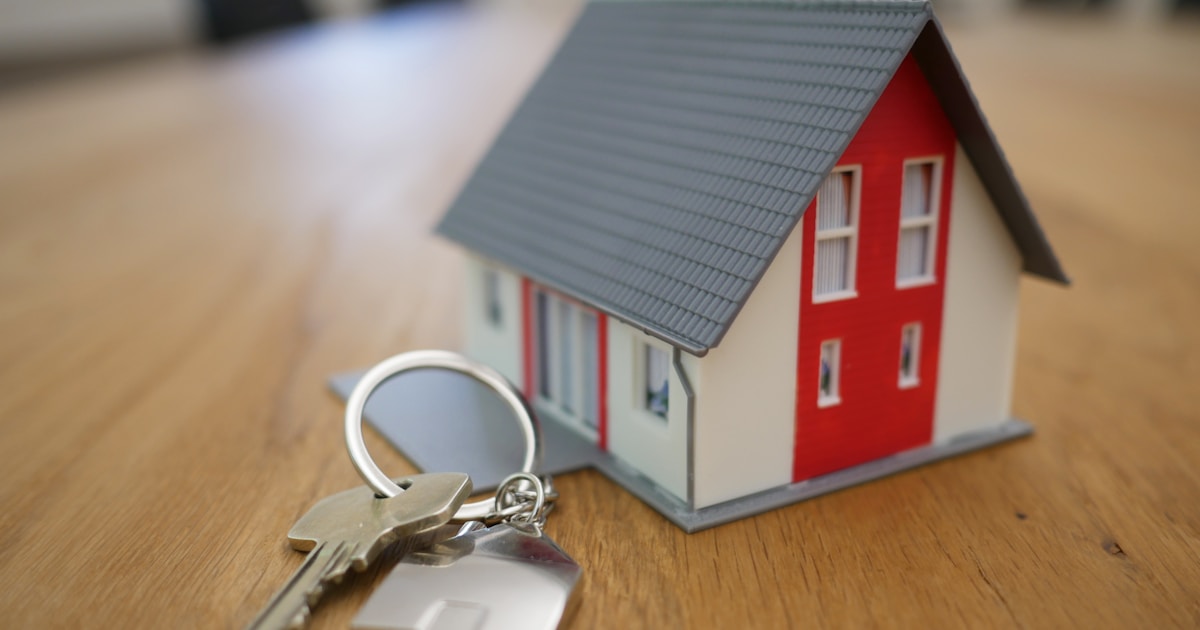
Real estate offices, brokerages, and property management companies use digital signage to showcase listings, attract walk-in traffic, and strengthen their brand presence. From window displays to lobby screens, digital signage helps sell more properties. This guide covers implementation strategies specific to real estate.

Why Real Estate Needs Digital Signage
Real estate faces unique marketing challenges:
- Inventory turnover: Listings change constantly
- Visual nature: Properties must be seen to sell
- Walk-in opportunity: Street-level exposure drives leads
- Agent promotion: Building personal brands within the brokerage
- Market credibility: Modern offices signal successful agents
Digital signage solves all of these more effectively than printed materials.
Key Display Locations
1. Window Displays (Street-Facing)
The most impactful location for generating leads:
- Featured listings: Rotating showcase of available properties
- Just sold: Social proof of agent success
- Coming soon: Build anticipation for new listings
- Open house schedules: Drive attendance
- Agent spotlights: Build recognition in the community
Technical requirements:
- High-brightness displays (2,500-4,000 nits) for sunlight readability
- Window-facing orientation (displays face outward)
- 24/7 operation for maximum exposure

2. Lobby and Reception
Engage clients while they wait:
- Full listing portfolio: Browse available properties
- Neighborhood information: Schools, amenities, demographics
- Market updates: Local trends, recent sales
- Agent profiles: Expertise and contact information
- Virtual tours: Preview properties before visits
3. Conference Rooms
Support client presentations:
- Listing presentations: Showcase properties to buyers
- Market analysis: CMA presentations
- Neighborhood data: Support location decisions
- Virtual tours: Walk through properties remotely
4. Agent Workspaces
- New listings: Keep agents informed
- Sales leaderboards: Friendly competition
- Market updates: Industry news
- Training content: Continuing education
Content Strategies for Real Estate
Listing Showcase Best Practices
| Element | Best Practice |
|---|---|
| Photos | Professional photography, 5-8 images per property |
| Duration | 15-30 seconds per listing |
| Key details | Price, beds/baths, sqft, address |
| Contact | Agent name, phone, QR code |
| Rotation | Featured listings more frequently |
Window Display Content Mix
| Content Type | Percentage | Goal |
|---|---|---|
| Active listings | 50% | Generate buyer leads |
| Just sold | 20% | Build credibility, attract sellers |
| Agent spotlights | 15% | Personal branding |
| Market updates | 10% | Position as local experts |
| Office/brand | 5% | Brand awareness |
Seasonal Content
- Spring: Peak selling season messaging, curb appeal tips
- Summer: Family moves before school, outdoor living features
- Fall: Cozy home features, before-winter moves
- Winter: Low inventory opportunity, investment properties

Integration with Real Estate Systems
MLS Integration
Automate listing updates:
- Automatic sync: New listings appear automatically
- Status updates: Remove sold properties immediately
- Price changes: Update pricing in real-time
- Photo import: Pull MLS photos directly
CRM Integration
- Lead capture: QR codes link to lead forms
- Agent assignment: Route inquiries appropriately
- Follow-up automation: Trigger drip campaigns
Virtual Tour Platforms
- Matterport: 3D walkthroughs
- Video tours: Agent-guided property videos
- Interactive floor plans: Room-by-room exploration
Lead Generation Strategies
QR Code Best Practices
Make it easy for passersby to take action:
- Large size: Readable from 6+ feet
- Clear call to action: "Scan for more photos" or "Schedule a tour"
- Mobile-optimized landing: Property page works on phones
- Tracking: Unique QR codes per listing for analytics
Call to Action Examples
- "Text HOME to 55555 for listing details"
- "Scan to schedule a private showing"
- "Get your free home valuation"
- "Download our neighborhood guide"
Multi-Office Management
For brokerages with multiple locations:
- Corporate branding: Consistent look across offices
- Local listings: Each office shows local inventory
- Agent-specific content: Feature local team members
- Centralized updates: Push company news to all locations
- Performance dashboards: Share success across the brokerage
Hardware Recommendations
Window Displays
| Spec | Requirement |
|---|---|
| Size | 55-75" (depends on window) |
| Brightness | 2,500-4,000 nits minimum |
| Orientation | Landscape or portrait |
| Mounting | Window mount or freestanding |
| Cooling | Built-in for heat management |
Lobby Displays
| Spec | Requirement |
|---|---|
| Size | 55-65" wall-mounted |
| Brightness | 400-500 nits (indoor) |
| Interactive option | Touch capability for browsing |
| Player | Android TV box or commercial player |
Measuring Success
Track these real estate-specific metrics:
- Walk-in leads: "How did you hear about us?"
- QR code scans: Digital engagement from signage
- Open house attendance: Promoted vs. non-promoted
- Days on market: Featured listings vs. others
- Listing inquiries: Before/after signage implementation
- Agent satisfaction: Are agents using and requesting features?
ROI Example: Real Estate Office
A mid-size brokerage with window and lobby displays:
| Metric | Before | After 6 Months |
|---|---|---|
| Walk-in leads/month | 8 | 22 |
| Open house attendance | 12 avg | 19 avg |
| QR code scans/month | 0 | 85 |
| Avg days on market (featured) | 45 | 32 |
Investment: $4,500 hardware + $60/month software
Additional closings attributed to signage: 2/year
Additional commission revenue: $12,000+/year
Implementation Guide
Phase 1: Window Display (Weeks 1-2)
- Install high-brightness window display
- Create listing templates
- Set up MLS integration (if available)
- Add QR codes for lead capture
Phase 2: Lobby Enhancement (Weeks 3-4)
- Install lobby display
- Create interactive property browser
- Add neighborhood and market content
- Feature agent profiles
Phase 3: Optimization (Ongoing)
- Track QR code scans and walk-ins
- A/B test listing presentations
- Add seasonal campaigns
- Expand to conference rooms
Conclusion
Real estate digital signage generates leads, showcases listings 24/7, and positions your brokerage as a modern, successful operation. Window displays offer the highest ROI—they work even when the office is closed.
Ready to sell more properties? Start free with Spot—2 screens free forever, perfect for your window and lobby.
Related Resources: