Dental Office Digital Signage: Reduce Anxiety & Boost Case Acceptance
How dental practices use digital signage to reduce patient anxiety, educate about treatments, promote services, and improve the waiting room experience.

Dental practices are discovering that digital signage transforms the patient experience—reducing anxiety, educating about treatments, and driving case acceptance for elective procedures. This guide covers how to implement digital signage that benefits both your patients and your practice.
Why Dental Offices Need Digital Signage
Dental practices face unique challenges that digital signage addresses:
- Patient anxiety: 36% of Americans have dental anxiety (American Dental Association)
- Treatment understanding: Patients don't understand procedures they can't visualize
- Elective services: Cosmetic dentistry needs promotion to drive case acceptance
- Wait time perception: Occupied patients perceive shorter waits
- Staff efficiency: Reduce repetitive explanations with visual aids
Key Display Locations
1. Waiting Room
The most impactful location for patient-facing content:
- Calming content: Nature scenes, relaxing visuals
- Practice information: Meet the team, office policies
- Treatment education: Procedure overviews, benefits
- Cosmetic showcases: Before/after galleries, smile transformations
- Promotions: Whitening specials, Invisalign offers
- Entertainment: News, weather (keep anxiety-inducing content minimal)
2. Treatment Rooms
Ceiling-mounted or chairside displays:
- Patient entertainment: Netflix, streaming during procedures
- Procedure visualization: Show what you're doing (for interested patients)
- Post-procedure care: Aftercare instructions
- Calming content: Nature, relaxation during treatment
3. Consultation Areas
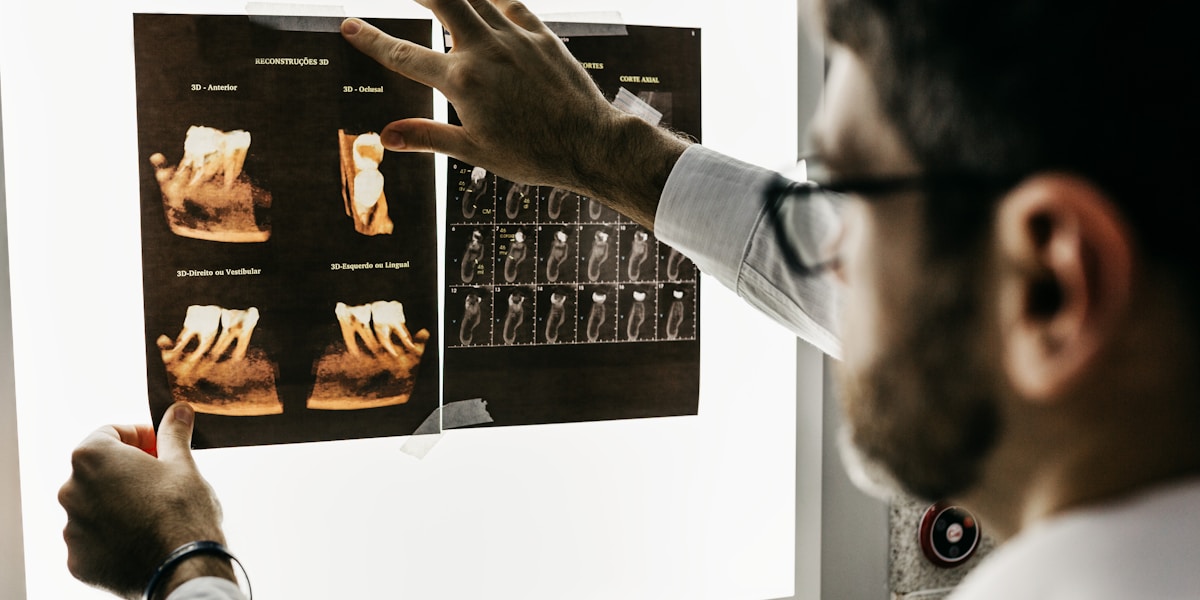
- Treatment planning: Show x-rays, treatment options
- Financing options: Payment plans, insurance information
- Case presentations: Before/after examples
- 3D treatment visualization: Show implant/orthodontic outcomes
4. Reception/Front Desk
- Check-in instructions: Paperwork, insurance reminders
- Appointment reminders: Next visit scheduling
- Promotions: Referral programs, specials
Content Strategies for Dental Practices
Anxiety Reduction
Research shows visual distraction reduces perceived pain and anxiety:
- Nature scenes: Forests, beaches, aquariums
- Slow motion: Gentle, calming movement
- Avoid: News, stressful content, loud audio
- Ambient music: Soft background audio if appropriate
Treatment Education
Help patients understand procedures they're considering:
| Treatment | Content Type | Goal |
|---|---|---|
| Implants | 3D animation of placement | Demystify procedure |
| Invisalign | Before/after transformations | Show results |
| Veneers | Smile gallery | Inspire desire |
| Whitening | Shade comparison | Show value |
| Root canals | Pain-free messaging | Reduce fear |
| Crowns/bridges | Durability, aesthetics | Justify investment |
Promoting Elective Services
Digital signage drives case acceptance for high-margin services:
- Cosmetic dentistry: Veneers, bonding, contouring
- Teeth whitening: In-office and take-home options
- Orthodontics: Invisalign, clear aligners
- Implants: Permanent tooth replacement
- Smile makeovers: Comprehensive transformations
Best practice: Show real patient results (with permission) for maximum impact.
Sample Content Rotation
Waiting Room Schedule
| Content Type | Duration | Frequency |
|---|---|---|
| Calming nature scenes | 2 minutes | 30% of rotation |
| Treatment education | 60 seconds | 25% of rotation |
| Before/after gallery | 30 seconds | 15% of rotation |
| Meet the team | 45 seconds | 10% of rotation |
| Promotions/specials | 20 seconds | 10% of rotation |
| Office info/policies | 30 seconds | 10% of rotation |
Measuring Impact
Track these metrics to demonstrate ROI:
- Case acceptance rate: Before/after implementing signage
- Elective procedure revenue: Whitening, cosmetic services
- Patient satisfaction scores: Survey results
- Referral rates: Word-of-mouth increase
- Staff time: Reduction in repetitive explanations
- No-show rates: Better-informed patients show up
ROI Example
A general dentistry practice with 2 displays:
| Metric | Before | After 6 Months |
|---|---|---|
| Whitening cases/month | 8 | 14 |
| Invisalign consultations | 3 | 7 |
| Patient satisfaction | 4.2/5 | 4.6/5 |
| Monthly elective revenue | $4,200 | $7,800 |
Investment: ~$800 hardware + $30/month software
Additional monthly revenue: $3,600
Payback period: Less than 1 month
Implementation Guide
Phase 1: Waiting Room (Week 1)
- Install primary waiting room display
- Create initial content playlist (calming + educational)
- Add practice branding and basic information
- Test with staff before patient-facing launch
Phase 2: Treatment Rooms (Weeks 2-3)
- Install ceiling-mounted displays (if applicable)
- Set up entertainment options (streaming apps)
- Create procedure-specific content
Phase 3: Optimization (Ongoing)
- Collect patient feedback
- Track elective service inquiries
- Rotate seasonal promotions
- Add new before/after cases
Hardware Recommendations
Waiting Room
- Display: 55-65" commercial TV or consumer TV
- Player: Fire TV Stick or Android TV box
- Mounting: Wall mount at eye level when seated
Treatment Rooms
- Display: 32-43" for ceiling mount
- Mounting: Articulating ceiling mount for viewing angle
- Consider: IP-rated displays for cleaning/sterilization
HIPAA Considerations
Important compliance notes:
- ❌ Never display patient names or appointment details publicly
- ✅ Get written consent for any patient photos/testimonials
- ✅ Use check-in kiosks with privacy screens
- ✅ Keep patient-specific content to private displays only
Conclusion
Digital signage helps dental practices reduce patient anxiety, educate about treatments, and drive case acceptance for elective procedures. The ROI is often measurable within the first month through increased cosmetic service uptake.
Ready to modernize your dental practice? Start free with Spot—2 screens free forever, perfect for your waiting room and treatment area.
Related Resources: